App Store · iPad & iPhone · Version 1.0 · Free
 eaScore
Your music, ready on the stand.
Bring in a PDF, photos or a scan of your music and read it full screen. Turn pages with a tap or a pedal, read two pages side by side, and mark the music in any color—offline, free, with nothing to sign in to.
- iPadOS & iOS 17+
- English & 简体中文
- Works offline
- Free
Get started
Three steps to the first page.
Made for practice and performance: large page-turn controls, pedal support that never assumes which foot is free, and notes that stay on the right bar.
Add a score
Import a PDF or images, choose photos or scan the pages.
Choose how to read
One page, two side by side, or one continuous scroll.
Play
Turn with a tap or a pedal, and mark the page as you practise.
Made for reading music.
PDFs, photos or a scan
Import PDFs or images from Files, choose photos of your music, or scan the pages with the camera. Several photos or pages become one score, in order.
Turn pages your way
Tap the wide controls along the bottom, swipe, or press a keyboard-style Bluetooth page-turn pedal. You choose which keys go back and forward.
Two pages side by side
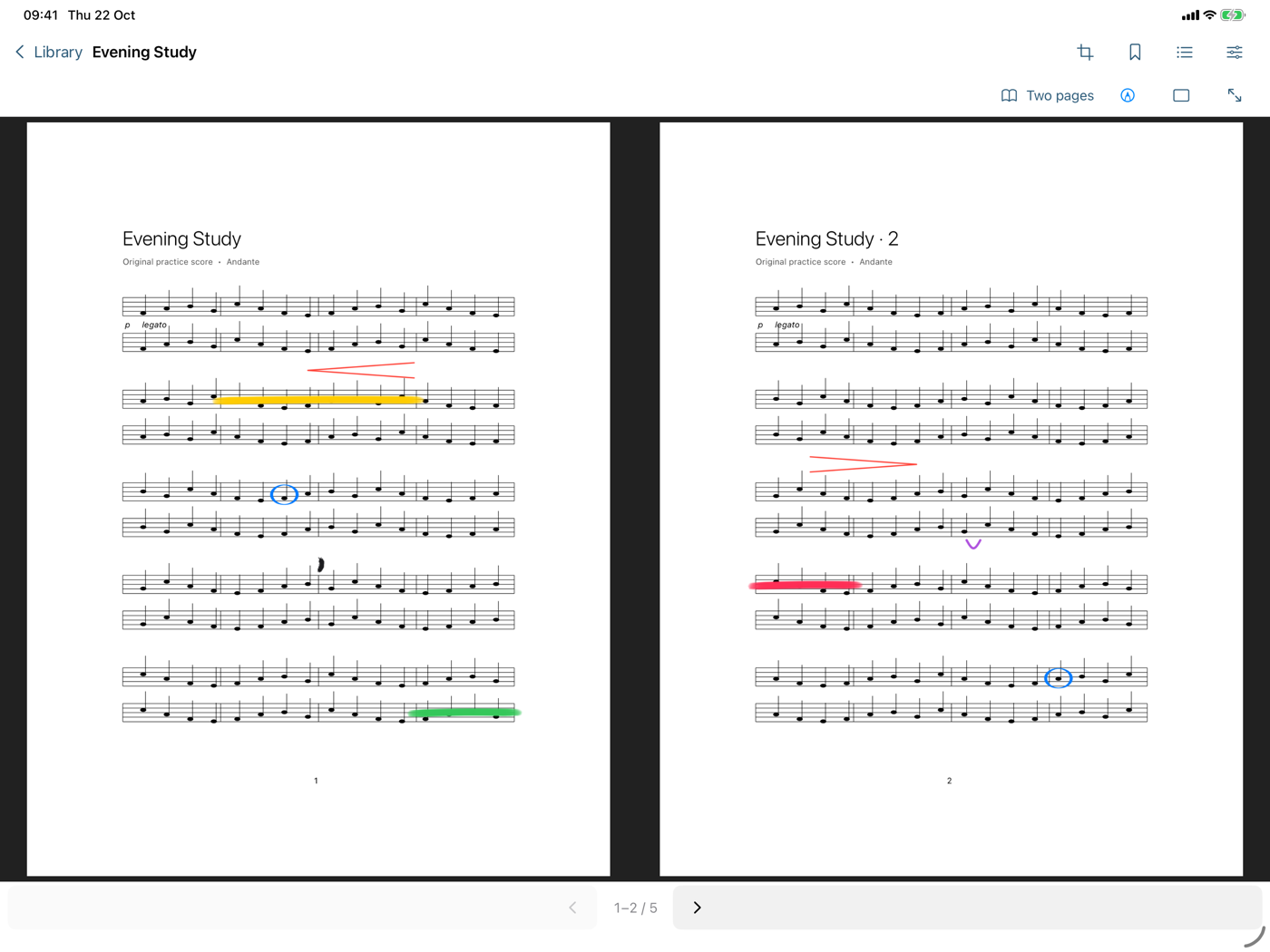
On a landscape iPad, read pages 1 and 2, then 3 and 4. A single page or one continuous scroll is a tap away.
Write on the music
Mark fingerings, breaths and dynamics with Apple Pencil or a finger. Notes stay on the right bar as you zoom, rotate, trim or change how you read.
Trim the margins
Drag a page’s edges, or let eaScore find them, so the music fills the screen. The original file is never changed, and a full page is always one tap away.
Ready on the stand
Performance mode hides the tools and keeps the screen awake. Bookmarks, a preview of the next page, and a library you can rename and tidy are there when you need them.
Markup tools
Every pen you need, in any color.
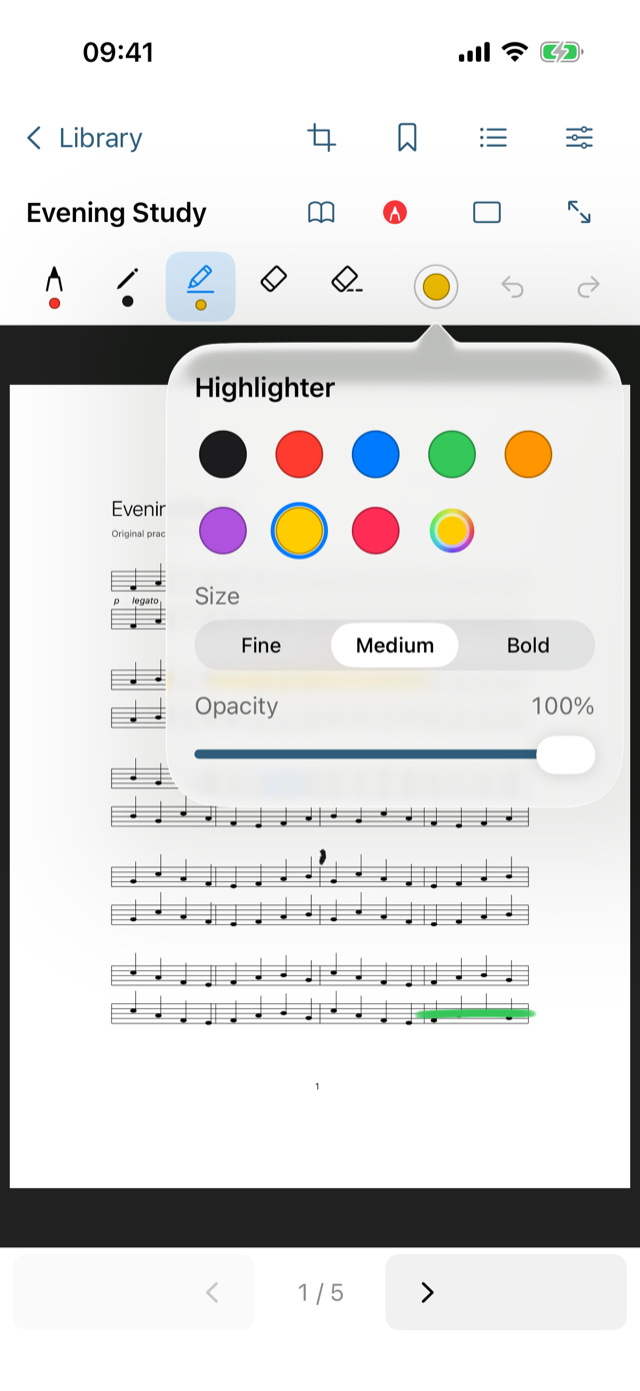
Tap Annotate and the tools sit above the music, like Markup. Tap the selected pen again for its color, size and opacity.
Seven inks
Pen, pencil, highlighter, fountain pen, monoline, crayon and watercolor, laid out like Markup.
Any color, three sizes
Eight quick swatches or any color you pick, fine to bold, with adjustable opacity. Each pen remembers its own.
Two erasers
Lift a whole mark with one touch, or rub out just the part you pass over. Undo and redo sit at the end of the bar.
Black stays black
The page is always white paper, so dark ink stays readable when your iPad is in Dark Mode.
Private by design
Your music stays on your device.
Works offline
Your scores are read from this device. Nothing needs a network connection.
No account
No sign-in, no analytics and no cloud library.
Your files stay yours
Imported PDFs are kept unchanged, with your notes stored beside them on the device and included in its normal backup.