Your next video, within reach.
A simple queue for YouTube links, with a visible player and native controls on your Mac.
Get Yumi on the Mac App StoreUS$0.99 · One-time purchase · macOS 14+
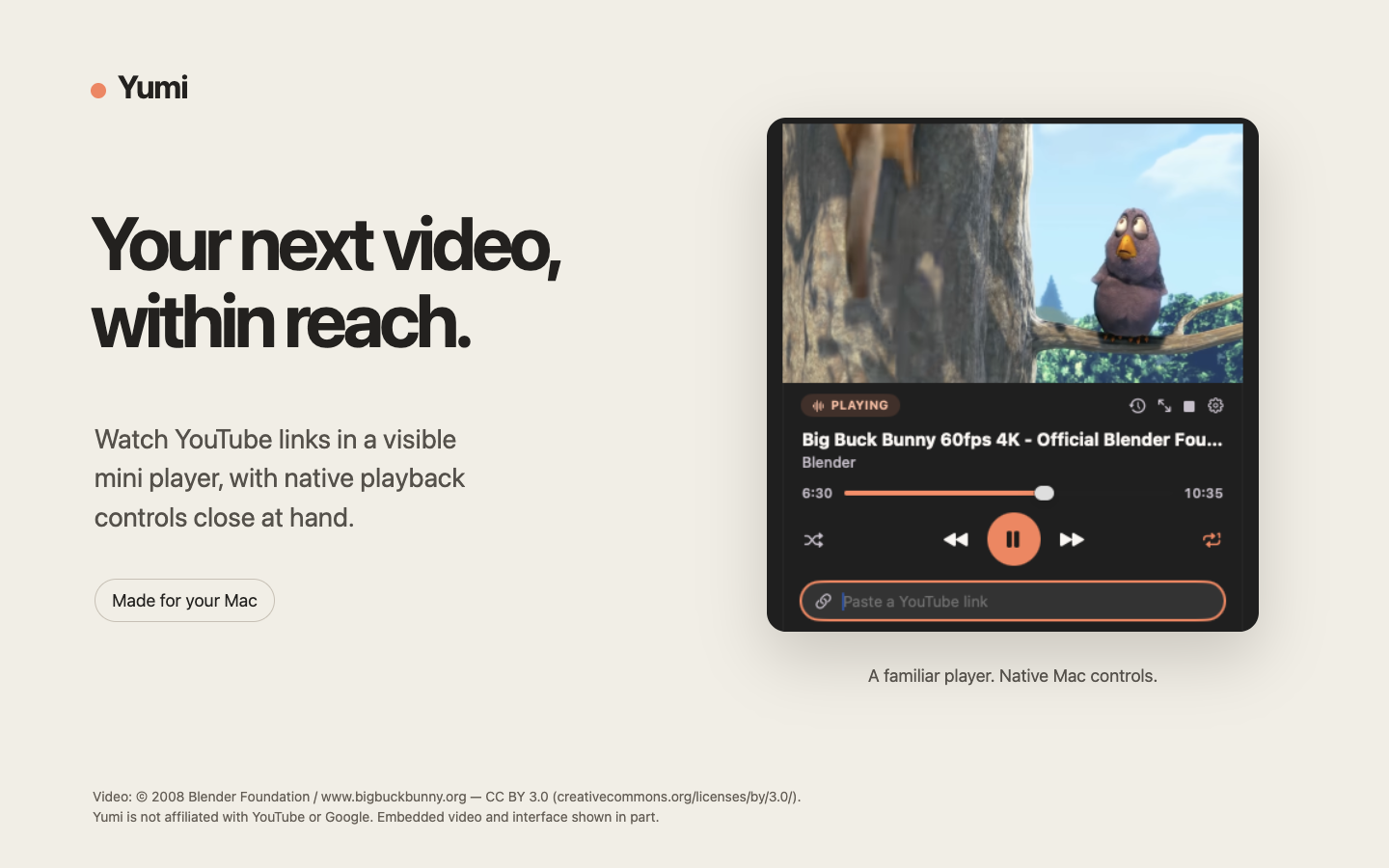
A calmer way to watch on your Mac.
Save YouTube links in a queue, keep playback close, and find recent videos again.
Keep a queue
Add a link, change the order, and choose what plays next.
Keep the player in view
Move and resize the mini player while you work.
Find it again
Search recently played titles and URLs in local History. Keep up to 200 videos for 30 days.
Ready for your next video?
Get Yumi on the Mac App StoreUS$0.99 · One-time purchase · macOS 14+ · Local prices vary
Available in 172 App Store countries and regions, excluding China mainland, Russia and Turkmenistan.
Internet access and YouTube availability are required. Ads and video embedding restrictions apply. Yumi does not download videos or include YouTube Premium.
Yumi is not affiliated with YouTube or Google. Playback uses YouTube’s official embedded player.
Privacy policy
Yumi and your data
Yumi is a macOS menu-bar app by XI CAO for watching YouTube links. It has no Yumi account, analytics service, advertising SDK, or developer-operated server. YouTube and Google receive data when you use the embedded player or request video metadata and thumbnails. Yumi asks you to accept this policy and YouTube's Terms of Service before enabling those requests.
What stays on your Mac
Your queue, channel names, thumbnail addresses, and resume positions remain in memory for the current session and are discarded when Yumi quits. Playback History saves up to 200 recently played video titles, identifiers, link start times, and last-played dates on this Mac for up to 30 days. URLs are reconstructed from those identifiers and link start times. Expired entries are removed when Yumi runs or History is opened. Playback preferences, launch-at-login registration, mini-player size and position, and your accepted policy version persist on your Mac. The embedded player uses temporary website storage that is released when the player stops or Yumi quits. Native metadata and artwork requests do not use a persistent cache or cookie store. Website data from earlier builds may remain until you use Clear Website Data. Diagnostic messages may be recorded in macOS system logs.
Clipboard and links
Yumi does not continuously monitor the clipboard. On macOS 15.4 and later, when its panel appears, it asks macOS whether the clipboard contains a probable web address before reading a link suggestion. Older versions require explicit paste or drag and drop. A suggestion alone does not request video metadata or playback. Adding a link sends its video identifier to YouTube's oEmbed service; images are requested from the returned thumbnail address. Playing a link connects the embedded player to YouTube and Google.
YouTube API Services
Yumi uses YouTube API Services and YouTube's official embedded player in privacy-enhanced mode. Google states that this mode uses non-personalized ads and does not use embedded video views to personalize your YouTube browsing experience or advertising outside the app. It does not mean that no data is collected. YouTube and Google may receive network information such as your IP address, device or browser information, video requests, viewing interactions, and identifiers or cookies. They may store or access information on your device under their policies, including for functionality, analytics, advertising delivery and measurement, and fraud prevention. IP addresses may indicate an approximate location. Playback performance and other technical diagnostics may also be received. Yumi does not sell your personal information or add its own tracking. Google may link identifiers and activity with data from its other services for advertising measurement. Yumi's App Store disclosures include this third-party use; privacy-enhanced mode is not a promise of anonymous or tracking-free playback.
Your choices and deletion
Stop playback to close the player and its local connection. Quit Yumi to discard the session queue. History stays across launches; use Remove from History or Clear History to delete saved entries. In Settings, Clear Website Data stops playback and removes Yumi's embedded website cookies, storage, and network caches; it does not delete data held by Google. Manage Google's retained data and privacy choices through your Google Account. Your browser's data is separate from Yumi's. Disable YouTube in Settings withdraws your acceptance, stops playback, cancels pending requests, and clears embedded website data. Your local history and queue remain available. Enabling YouTube again requires acceptance. Yumi does not request access to your Google account through OAuth.
Contact and changes
For support or privacy questions, email support@vibewait.ing. Messages go only to the developer and are never published. Do not include private or sensitive information. This policy was updated on 28 September 2026. Changes will be published at the same policy URL.
Yumi’s terms require you to accept this privacy policy and be bound by the YouTube Terms of Service. Read the Google Privacy Policy and manage your data through Google Account controls.
Support
For a playback problem, include your macOS and Yumi versions, the steps that led to it, and the error text. A video may be unavailable if its owner disables embedding; use “Open in YouTube” when offered. For connection errors, check your internet connection and use “Try again.”
Your message goes only to the developer and is never published. Do not include account details, private video links, or other sensitive information.
Privacy questions can use the same address. Please mention Yumi.